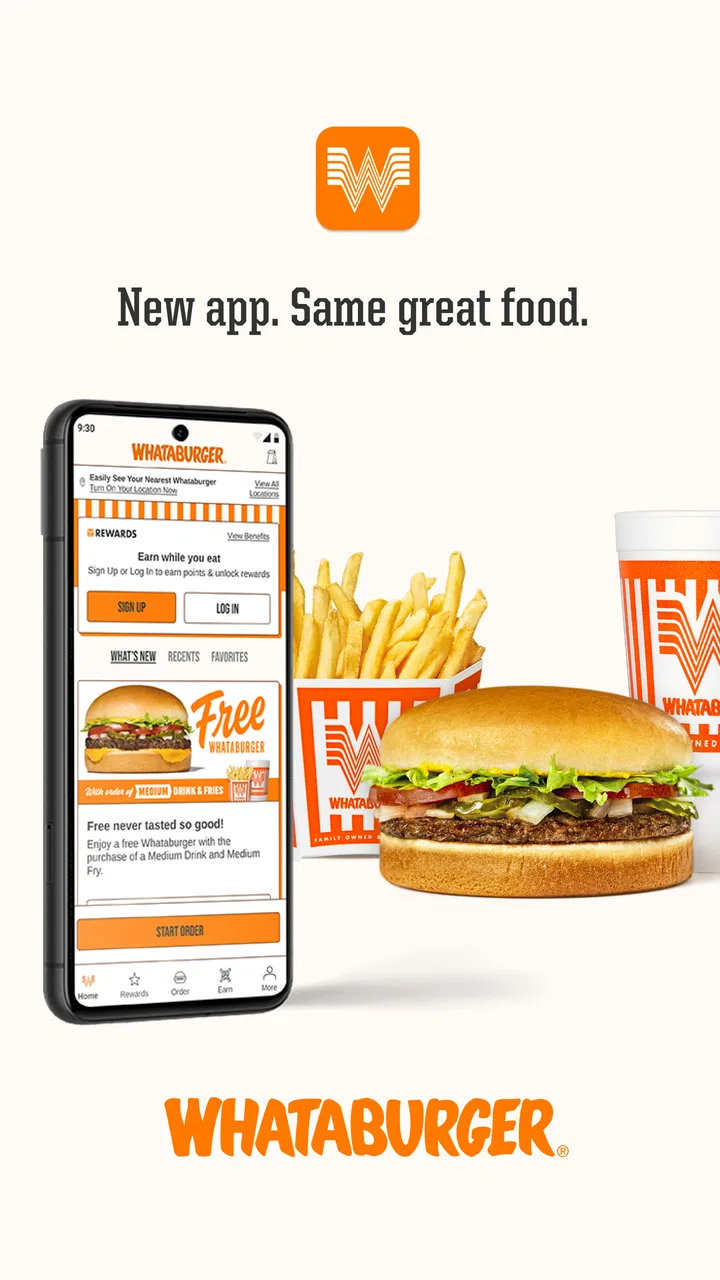
Whataburger
- 3.3
- Rating
- 5.00M
- Installs
- Free
- Price

 Analysis by App-foxy
I installed Whataburger to see whether its official food-ordering app actually makes a restaurant visit easier, or simply adds another account and checkout step. My overall impression is mixed but useful: it is most appealing when I already know what I want, care about customizing it, and plan to order from Whataburger often enough to make the app worth keeping. It is less convincing for someone who only visits occasionally or prefers to decide everything at the counter.
This is a free Food & Drink app from Whataburger, aimed at turning a familiar restaurant order into a repeatable mobile routine. It has an Everyone age rating, works on devices running Android or iOS version 10 or later, and the current version is 6.0.16. The app has passed five million installs, with an average rating of 3.3 from roughly thirty thousand ratings and thirteen thousand written reviews. Those figures suggest a useful but not universally smooth experience: plenty of people rely on it, while a noticeable group has encountered enough friction to rate it cautiously.
Where the app earns trust, and where I stay careful
I find the app most reassuring when I use it as a deliberate ordering tool: I choose the restaurant, review the basket, and make the final decision myself. That approach keeps convenience from turning into autopilot, especially when I am ordering for other people or making a less familiar customization. The same careful mindset also helps me decide which settings are worth adjusting before I settle into a repeat routine.
You May Also Like

 Blood Strike: 2.5 Anniversary
Blood Strike’s Loadouts Turn Every Drop Into a Tactical Gamble
A close look at Blood Strike’s custom loadouts: how fast access to signature weapons reshapes its battle royale rhythm, rewards preparation, and narrows the gap between fights.

 Pandora - Music & Podcasts
Pandora’s Music Is Easy to Start, but Harder to Recover
Pandora’s strength is its low-effort path from a seed to a station. Its weak spot is how much confidence it asks you to place in connection, setup, and quiet recovery.

 8 Ball Pool
 Is Built on Rivalries, Rematches, and Routine
A close look at the rivalries, rematches, shared routines, and unanswered safety questions that turn a quick pool match into a persistent mobile community.

 Samsung Music
’s Quiet Strength Is Playing What You Already Own
Its reach comes less from spectacle than from dependable access to a personal library. That simplicity is both the app’s strongest retention engine and its ceiling.

 AccuWeather: Weather Radar
AccuWeather Review: A Quick, Clear Forecast for Everyday Decisions
For everyday plans, the best forecast is the one you can understand quickly. AccuWeather makes rain timing, radar, and local conditions easy to act on, with a few trade-offs.

 Hill Climb Racing
Why Hill Climb Racing Still Turns Crashes Into One More Run
A tiny car, a bumpy hill and one more upgrade: Hill Climb Racing keeps resurfacing because its simple chaos makes every near-miss feel personal.
More From Our News Desk
View All News


A practical trust test before placing an order
With a restaurant app, trust is not only about whether the menu looks attractive. I want to know what I am being asked to do, which choices are visible, and whether I remain in control before money is involved. Whataburger’s app feels more trustworthy when I treat it as a direct ordering tool rather than as a general-purpose loyalty destination. The reason is simple: every useful action is closely tied to a meal, a restaurant location, customization, or checkout.
The developer name is easy to understand because it matches the restaurant brand. That matters when searching for the official app among similarly named results. I would still check the developer before installing, especially if I were using a new phone or helping a family member set it up. The app’s popularity is reassuring in a basic sense, but a large install count does not guarantee that every order flow will behave perfectly on every device.
I also would not treat the average rating as a final verdict. A restaurant app is judged during stressful moments: a lunch break, a long drive, a crowded pickup area, or a hungry family waiting in the car. A small delay or confusing checkout screen feels much worse then than it would during a relaxed test. My experience is that the app is easiest to judge after trying one modest order, not by relying on the store score alone.
What I would check before creating a routine
The first useful question is whether I am likely to order ahead. If the answer is yes, the app can reduce the need to repeat a complicated order verbally. If the answer is no, installing it may create more maintenance than value. I would avoid downloading it merely because a friend mentions a promotion unless I already expect to use the restaurant again.
I would also review the account and checkout screens slowly the first time. Restaurant apps can make it tempting to tap through quickly, especially when a meal is already in the cart. My preferred habit is to confirm the selected location, pickup method, items, modifications, and final total before submitting anything. That is not a criticism unique to Whataburger; it is the sensible way to use any app that turns a few taps into a prepared food order.
The best trust habit is to treat the final review screen as a decision point, not a formality. I would not assume that a saved restaurant location, a previous customization, or a familiar basket still reflects what I want today. Menus and availability can change, and the safest workflow is to inspect the order each time.
Account controls and visible choices
The app’s value depends partly on how comfortable I am with maintaining an account. An account can make repeat ordering more convenient, but it also means I need to pay attention to sign-in details, saved information, and any communication choices shown during setup or checkout. I prefer apps that make those choices apparent rather than hiding them behind a rushed onboarding sequence.
For a new user, I would use a password that is not reused elsewhere and would avoid saving payment information unless the speed benefit genuinely matters. If I only visit Whataburger once in a while, entering payment details when needed may be a better trade-off than keeping everything stored for months. If I order regularly, the convenience may justify the extra account management, but I would still revisit the profile and notification settings occasionally.
One practical limitation is that an app cannot remove every uncertainty from a restaurant transaction. A mobile order may be easier to read than a spoken order, but it still depends on selecting the right location and reviewing what the restaurant can prepare at that moment. I see the app as a clearer ordering interface, not as a guarantee that every operational detail will be flawless.
Data-sensitive moments during normal use
The most sensitive point is checkout. This is where an ordinary menu browse becomes a transaction, so I would slow down and separate three questions: am I ordering from the correct restaurant, is the basket correct, and am I comfortable with the payment step? Keeping those checks separate prevents the common mistake of correcting one detail while overlooking another.
Location selection deserves special attention. A restaurant app needs a way to connect an order with a particular store, but I would rather choose that location deliberately than assume the nearest option is always correct. This is especially important near highways, shopping areas, or city neighborhoods where two restaurants may be close enough to confuse a hurried user. I would confirm the address or store identity shown in the order flow before submitting.
Notifications are another moment where user choice matters. Order updates can be useful when I am waiting in a parking lot, but repeated alerts may become annoying if I rarely use the app. I would keep only the notifications that help me complete an order and turn off anything I do not need through the device’s controls or the app’s visible settings, where available. I would not grant broader access simply because it makes the first setup screen faster.
When I am browsing without ordering, I would avoid entering personal details unnecessarily. A restaurant menu should be useful before I commit to an account or payment process. If the app allows me to inspect choices first, that is the workflow I prefer: browse, decide, then sign in only when the practical benefit becomes clear.
How I keep control of a repeat order
Repeat ordering is where this app can become genuinely helpful. My realistic scenario is a busy weekday evening when I already know the meal I want. Instead of rebuilding the order verbally while checking a menu board, I can use the app to review the selections at my own pace, make any changes, and confirm the restaurant before heading over. That is a modest improvement, but it is exactly the kind of small improvement that makes a dedicated restaurant app worth using.
The trade-off is that convenience can make mistakes easier to overlook. A previous order may feel familiar enough to submit without inspection, even when I intended to change a side, drink, quantity, or customization. I would use a repeat order as a starting point, not as an automatic instruction. My quick routine would be: open the basket, read every line, check the location, then submit.
For families, the app may also be useful because one person can assemble the order while everyone else calls out preferences. The screen gives the organizer a written record to review, which is easier than remembering several modifications. However, I would still show the final basket to the group before paying. The app can organize requests; it cannot decide whether the group has actually agreed.
Customization is useful, but clarity matters more than speed
Whataburger’s identity is closely connected with ordering food the way you like it, so customization is one of the strongest reasons to use the app instead of simply walking up to the counter. I appreciate being able to consider modifications without holding up a line. This is particularly helpful when I have a specific preference and want to verify that it appears in the basket.
There is a subtle downside: a long list of choices can make the order look correct at a glance even when one option is wrong. I would read the item summary after customization rather than trusting the earlier selection screen. If a modification is important because of an allergy or serious dietary concern, I would not rely on an app label alone. I would contact the restaurant directly and confirm how the food can be prepared. A digital checkbox is not a substitute for a conversation when the consequences are significant.
The app is also not the right tool for every dietary situation. If I need extensive ingredient explanations, cross-contact information, or a detailed conversation with staff, a direct question to the restaurant is safer and more informative. For ordinary preferences, the mobile menu is convenient. For medical needs, I would use it only as part of a broader confirmation process.
Comparing it with the usual alternatives
The obvious alternative is ordering in person. That remains better when I have questions, when the restaurant is unfamiliar, or when I want to change my mind at the last second. Speaking with staff is also preferable when an order involves unusual dietary concerns. The app wins when I already know the menu and want a quiet, written way to assemble the meal.
Third-party delivery services are another alternative, but they serve a different purpose. They can be convenient when I need delivery or want to compare several restaurants in one place. A dedicated Whataburger app is more focused on the restaurant’s own ordering experience, which may feel less cluttered when I have already chosen where to eat. The downside is that it is not a universal food marketplace; its usefulness is tied to how often I want this particular restaurant.
A mobile browser can be a reasonable middle ground for someone who dislikes installing apps. It avoids adding another icon and may be enough for a one-time order. The dedicated app makes more sense for repeat use, especially if I value a consistent ordering flow and do not want to start from a blank page each time. I would choose the browser for occasional visits and the app for a recurring habit.
Who should use it, and who should skip it
I would recommend trying it to regular Whataburger customers, people who frequently customize orders, and anyone who prefers reviewing a written basket before paying. It is also a good fit for a household where one person coordinates meals for several people. The free price removes the main financial barrier to testing it, so the real question is whether the convenience justifies the account and device space.
I would skip it if I rarely eat at Whataburger, if I strongly prefer face-to-face ordering, or if I need detailed dietary guidance that cannot be handled through a standard menu interface. I would also hesitate to make it my only option during travel. A restaurant app is most dependable as one ordering channel among several, not as a replacement for common sense when a location, menu item, or special request needs clarification.
For older relatives or anyone uncomfortable with account setup, I would not install it without walking through the first order together. The app may be straightforward once configured, but the initial decisions around sign-in, notifications, location, and payment can feel like too much at once. Helping someone establish a simple, controlled routine is better than assuming the convenience will be obvious.
My day-to-day workflow for safer, smoother orders
I would begin by opening the menu before deciding whether to sign in. Once I know the app suits my ordering habits, I would create the account using unique credentials and review the available controls instead of tapping through every prompt. I would keep notifications limited to useful order information and avoid saving details that I do not expect to use regularly.
Before each order, I would choose the restaurant manually, especially if I am away from home. Then I would build the basket, inspect every customization, and check whether the selected pickup arrangement matches my plan. If another person is eating with me, I would read the basket aloud before submission. That extra minute is more valuable than trying to correct an order after it has been sent.
After pickup, I would keep an eye on the account only as much as necessary. If I stop using the app, I would review saved information and device notification access rather than leaving an old restaurant account untouched indefinitely. This is not dramatic security advice; it is ordinary digital housekeeping, and it gives me more confidence than installing an app and forgetting about it.
My cautious verdict
Whataburger is a practical, specialized ordering app rather than an essential everyday tool for everyone. I like its strongest use case: planning a familiar meal, handling customizations carefully, and arriving with a clear order instead of making decisions under pressure. The free download makes experimentation easy, and the large user base shows that it has become a regular option for many customers.
Still, the 3.3 average rating is a useful reminder to keep expectations realistic. I would not depend on it blindly during a tight schedule, and I would not assume that a saved order is automatically correct. The app earns my recommendation when I remain active in the process: check the store, inspect the basket, review the transaction, and manage account choices deliberately.
My final view is cautious but positive. If Whataburger is already part of your routine, this app can make ordering more organized and less repetitive. If you visit only occasionally, the mobile browser or counter may be simpler. I would install it for repeat customization and controlled ordering, but I would keep the habit of verifying every important detail before tapping the final button.
FAQs for Whataburger
01What features does the Whataburger app offer?
The Whataburger app provides a range of features to enhance your dining experience. You can browse the full menu, customize your orders, and find the nearest location. The app also offers a rewards program where you can earn points with every purchase, which can be redeemed for free food and drinks.
02How does the rewards program in the Whataburger app work?
The rewards program in the Whataburger app allows users to earn points with every purchase made through the app. These points accumulate and can be redeemed for various menu items. Simply scan your app at checkout or use the app to order directly to start earning points. Check the app for special promotions and bonus point opportunities.
03Is the Whataburger app available for both Android and iOS devices?
Yes, the Whataburger app is available for download on both Android and iOS devices. You can find it in the Google Play Store for Android devices and the Apple App Store for iOS devices. Ensure your device meets the app’s system requirements for optimal performance.
04Can I customize my order through the Whataburger app?
Absolutely, the Whataburger app allows you to fully customize your order to fit your preferences. You can choose from a variety of toppings, sauces, and sides to create your perfect meal. The app also saves your favorite orders for quick and easy reordering on your next visit.
05How secure is the payment process in the Whataburger app?
The Whataburger app is designed with security in mind, providing a safe and encrypted payment process. Users can securely store their payment information within the app for quick and easy checkout. The app complies with industry standards to protect your personal and financial information during transactions.
Pros
- User-friendly interface for easy navigation.
- Customizable orders with various options.
- Loyalty program with rewarding perks.
- Timely updates with new features regularly.
- Secure payment options ensure safety.
Cons
- Limited delivery areas might restrict usage.
- Occasional app crashes disrupt experience.
- Some features require stable internet.
- Slow customer support response times.
- Limited customization on older devices.

Whataburger
Gallery